


Claude Code
Install Claude Code on Windows or macOS, manually configure the API address and Key, and start a conversation.
Follow the Windows or macOS steps to install, configure, and start using Claude Code.
Windows
1. Install
Find PowerShell in the Start menu, open it, paste the installation command, and press Enter:
winget install --id Anthropic.ClaudeCode --exactAfter installation, close and reopen PowerShell and check the version:
claude --versionContinue when a version number appears. See the official installation guide for other installation methods.
2. Configure
Prepare an API Key.
The configuration file is %USERPROFILE%\.claude\settings.json:
- Press
Win + Eto open File Explorer. - Enter
%USERPROFILE%\.claudein the address bar and press Enter. - Right-click
settings.jsonand choose Open with → Notepad, or use VS Code. - If the folder is missing, create
.claudeinside%USERPROFILE%. If the file is missing, create it in Notepad.
Enter the following configuration:
{
  "env": {
    "ANTHROPIC_BASE_URL": "https://api.get-apikey.com",
    "ANTHROPIC_AUTH_TOKEN": "your-api-key"
  }
}
Replace your-api-key with your API Key. Use the address shown, without a trailing /v1.
Press Ctrl + S to save. For a new file, use Save As, choose the .claude folder, name the file settings.json, and select All files and UTF-8. Show file extensions in File Explorer and check that the filename is not settings.json.txt.
For an existing file, make a backup and merge the fields into the same env object, keeping other settings. Use straight double quotes and no trailing comma after the last JSON entry.
3. Use
- Open your project folder in File Explorer.
- Type
powershellin the address bar and press Enter to open a terminal in that folder. - Run:
claudeConfirm the project prompts and send Reply only OK. Once you receive a reply, describe a coding task in the same input box. After editing the configuration, exit and restart Claude Code.
macOS
1. Install
Press Command + Space to find and open Terminal. Paste the installation command and press Enter:
curl -fsSL https://claude.ai/install.sh | bashAfter installation, close and reopen Terminal and check the version:
claude --versionContinue when a version number appears. See the official installation guide for other installation methods.
2. Configure
Prepare an API Key.
The configuration file is ~/.claude/settings.json:
- Open Finder and press
Command + Shift + G. - Enter
~/.claudeand select Go. - Open
settings.jsonin TextEdit or VS Code. PressCommand + Shift + .to show hidden files if needed. - If the folder or file is missing, open VS Code, choose File → Open Folder, press
Command + Shift + G, and enter~to open your home directory. In the Explorer sidebar, create a.claudefolder and asettings.jsonfile inside it.
Enter the following configuration:
{
  "env": {
    "ANTHROPIC_BASE_URL": "https://api.get-apikey.com",
    "ANTHROPIC_AUTH_TOKEN": "your-api-key"
  }
}
Replace your-api-key with your API Key. Use the address shown, without a trailing /v1.
Press Command + S to save. In TextEdit, choose Format → Make Plain Text and keep the filename settings.json.
For an existing file, make a backup and merge the fields into the same env object, keeping other settings. Use straight double quotes and no trailing comma after the last JSON entry.
3. Use
- Open Terminal and type
cdwith a trailing space. - Drag your project folder from Finder into the terminal and press Enter to enter that project.
- Run:
claudeConfirm the project prompts and send Reply only OK. Once you receive a reply, describe a coding task in the same input box. After editing the configuration, exit and restart Claude Code.
On Linux, use the same installation command and configuration, with the file at ~/.claude/settings.json.
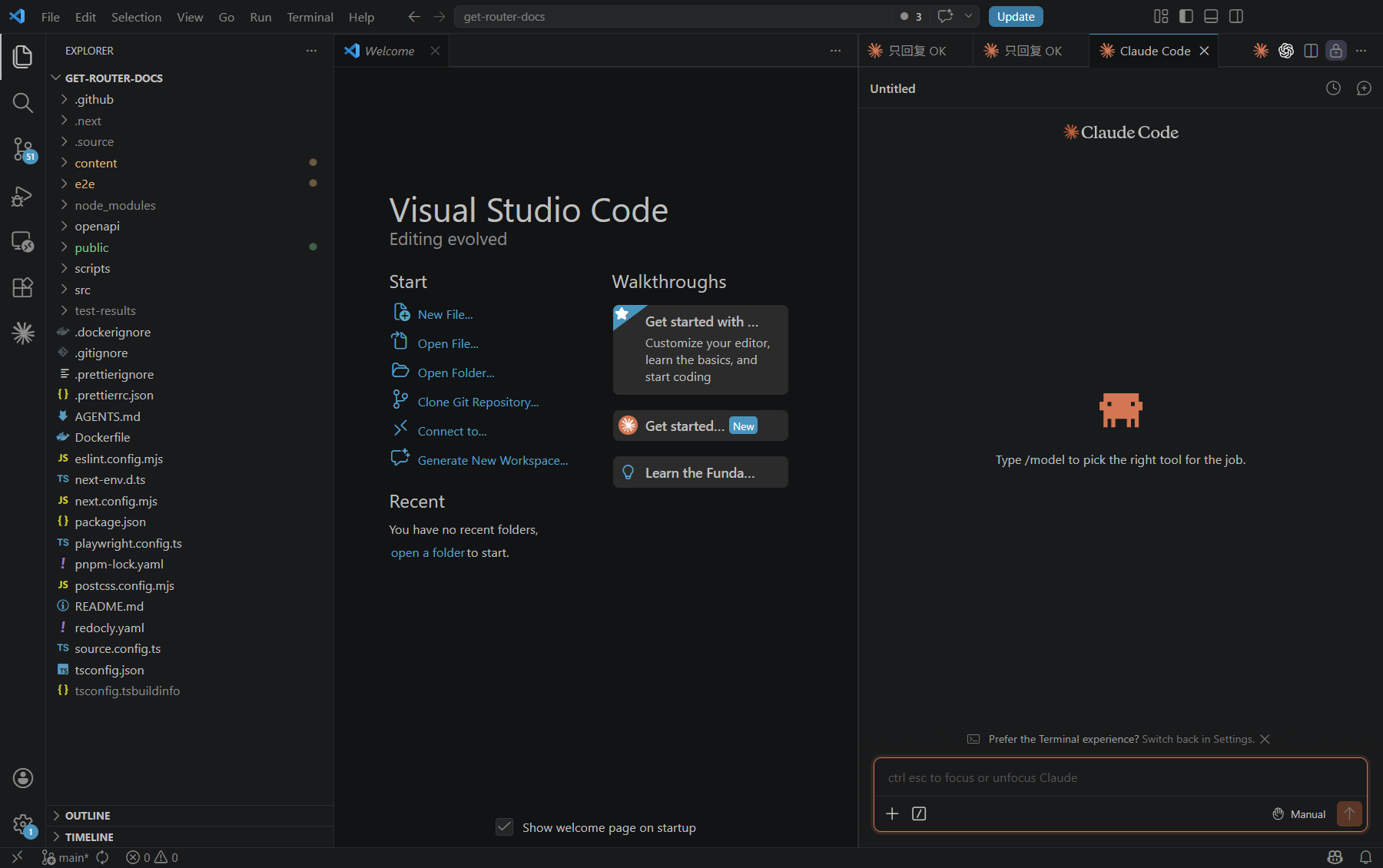
Use in VS Code
Install the official VS Code Claude Code extension to enter tasks in the sidebar. It shares configuration with the CLI under the same OS user.
Common problems
| Symptom | Check first |
|---|---|
| 401 or repeated login prompts | Key, address, and conflicting authentication variables |
| Command not found | Reopen the terminal and run claude --version |
| Old sessions missing | Original project, user, and CLAUDE_CONFIG_DIR; do not clear .claude |
If CLAUDE_CONFIG_DIR is set, edit settings.json in that directory. This configuration uses ANTHROPIC_AUTH_TOKEN; if env also contains ANTHROPIC_API_KEY, back up the file and remove that field to avoid conflicting credentials.