Cherry Studio
Install and configure Cherry Studio.
Follow the Windows or macOS steps for your system.
Windows
1. Install
Download the Windows installer from Cherry Studio, run it, follow the installation prompts, and open Cherry Studio.
2. Configure
Prepare an API Key and copy a model ID from the model catalog that supports Chat Completions and is available to your Key. Replace YOUR_MODEL with that ID.
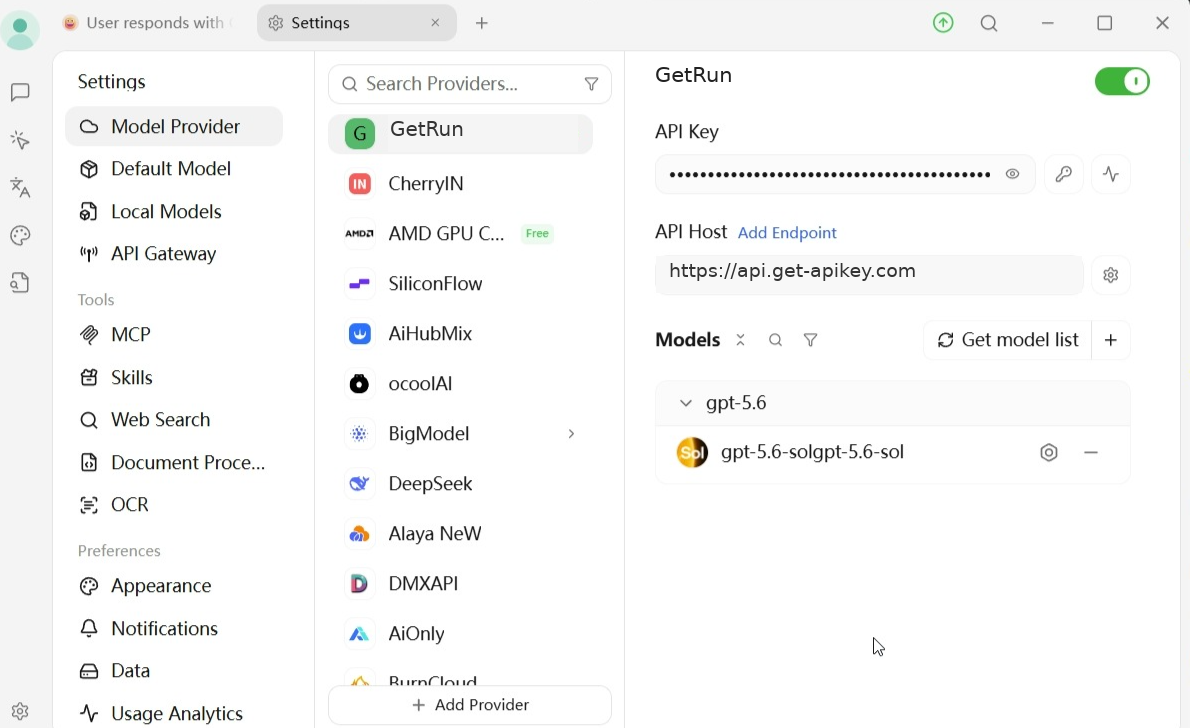
- Open Settings → Model Provider.
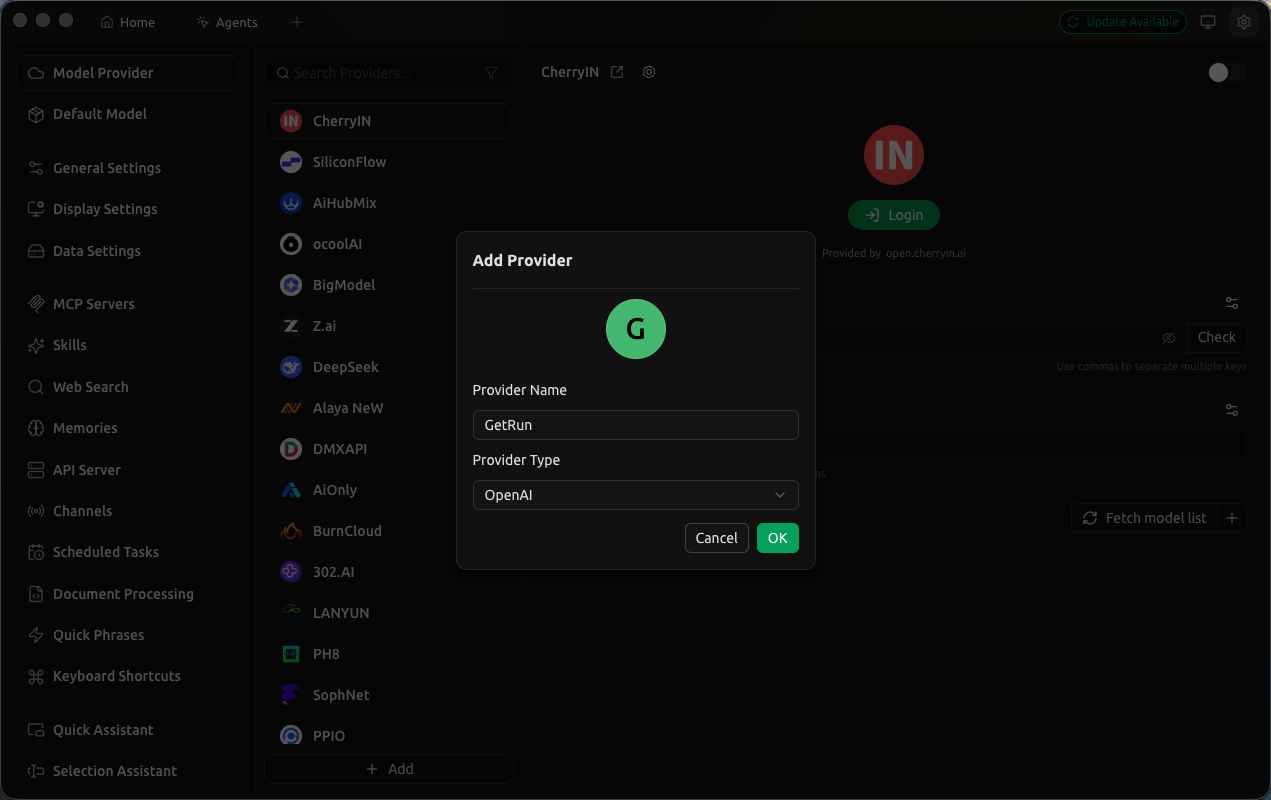
- Click Add Provider at the bottom and enter
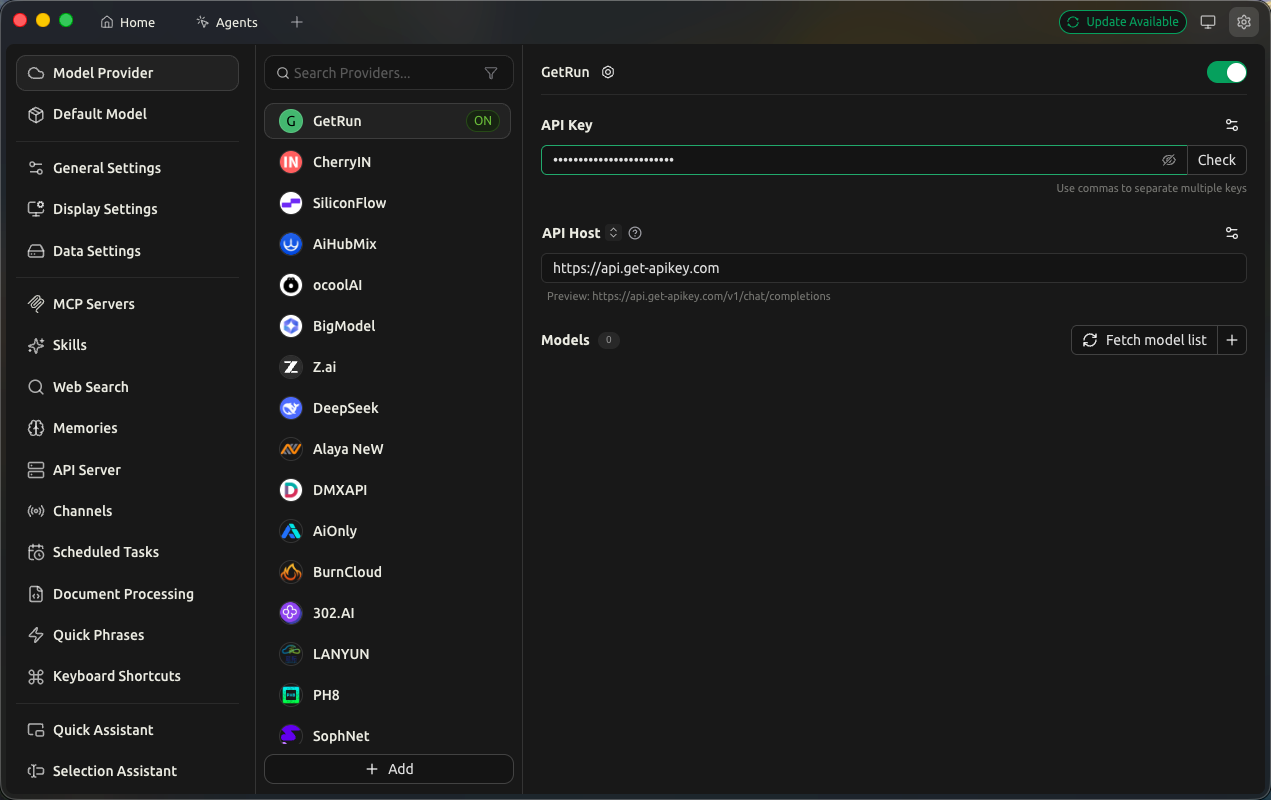
GetRunas the name, and select OpenAI as the type. - Select GetRun in the provider list and turn on the switch in the upper-right corner.
- Enter your actual Key in API Key.
- Enter
https://api.get-apikey.comin API Host. Cherry Studio expects the host here, so do not append/v1. - Click
+in the Models section. EnterYOUR_MODELas both the model ID and display name. - Return to the chat page and select
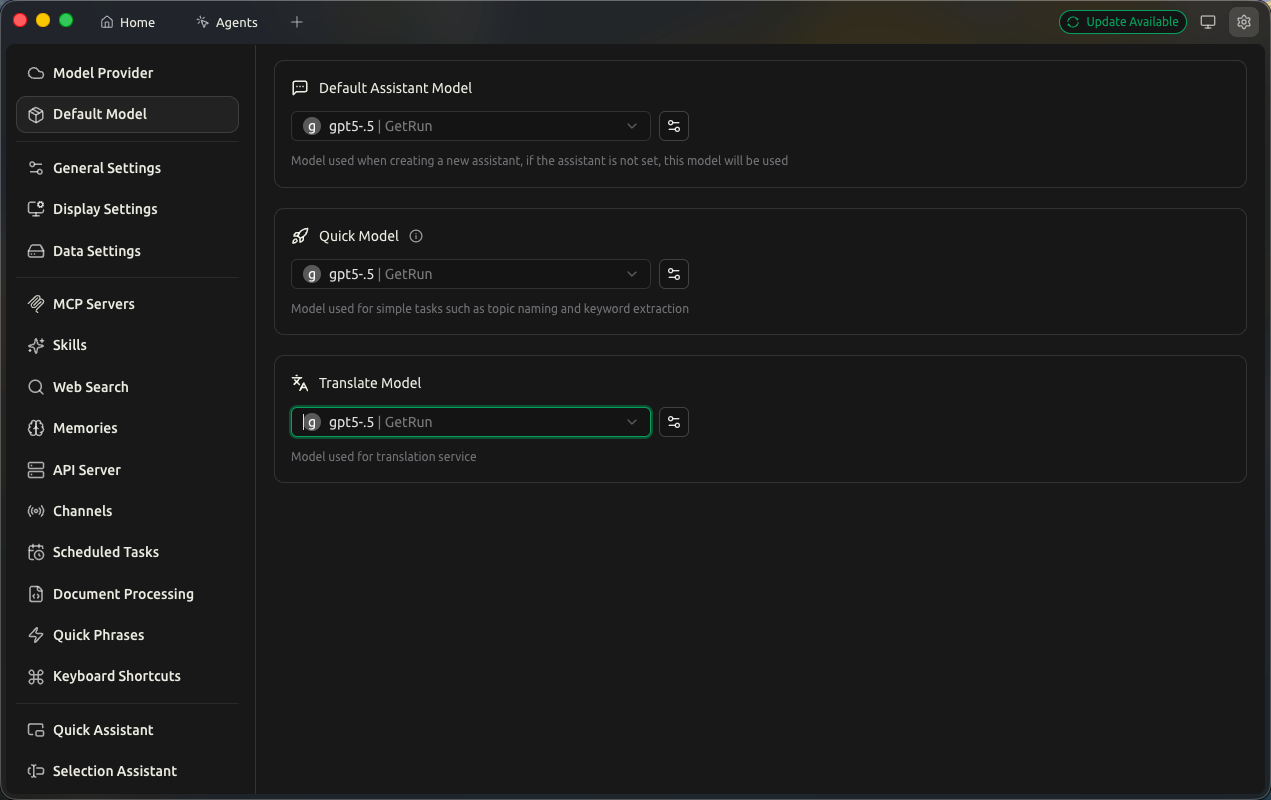
YOUR_MODELunder GetRun in the model picker.
3. Use
Save the settings, fully quit Cherry Studio, and reopen it. Start a chat, choose the model you added, and send Reply only OK. Once you receive a reply, enter your task.
macOS
1. Install
Download the package for your Mac from Cherry Studio, follow its installation steps to add it to Applications, and open Cherry Studio.
2. Configure
Prepare an API Key and copy a model ID from the model catalog that supports Chat Completions and is available to your Key. Replace YOUR_MODEL with that ID.
- Open Settings → Model Provider.
- Click Add Provider at the bottom and enter
GetRunas the name, and select OpenAI as the type. - Select GetRun in the provider list and turn on the switch in the upper-right corner.
- Enter your actual Key in API Key.
- Enter
https://api.get-apikey.comin API Host. Cherry Studio expects the host here, so do not append/v1. - Click
+in the Models section. EnterYOUR_MODELas both the model ID and display name. - Return to the chat page and select
YOUR_MODELunder GetRun in the model picker.
3. Use
Save the settings, fully quit Cherry Studio, and reopen it. Start a chat, choose the model you added, and send Reply only OK. Once you receive a reply, enter your task.