CCSwitch
Install and configure CCSwitch to switch Codex or Claude providers.
Follow the Windows or macOS steps for your system.
Windows
1. Install
Download the Windows installer from CCSwitch, run it, follow the installation prompts, and open CCSwitch.
2. Configure
Prepare an API Key. Select the client in CCSwitch and fill in its settings below.
Codex
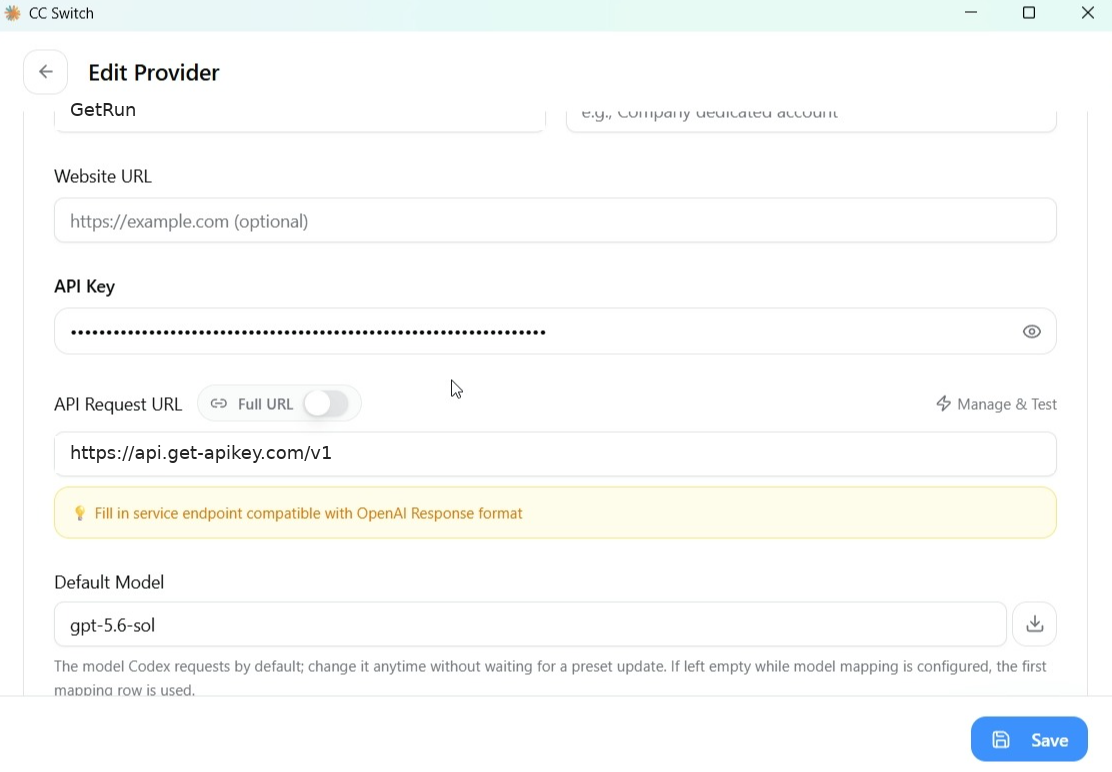
- Select Codex in Provider Management and add or edit a connection.
- Set Display name to
Get-Codexand Provider ID toget-codex. - Enter
https://api.get-apikey.com/v1as the API Request URL and your Key as the API Key. - Set Model to
gpt-5.5, Reasoning effort tohigh, and Wire API toresponses. - Save and select Enable.
Claude Code
- Select Claude in Provider Management and add or edit a connection.
- Set Display name to
GetRun. - Set API Endpoint to
https://api.get-apikey.comwithout/v1, then enter your API Key. - Save and select Enable.
3. Use
Confirm that the connection is enabled, fully quit Codex or Claude Code, and reopen it. Start a session, check the model, and send Reply only OK. Once you receive a reply, continue in that client.
macOS
1. Install
Download the package for your Mac from CCSwitch, follow its installation steps to add it to Applications, and open CCSwitch.
2. Configure
Prepare an API Key. Select the client in CCSwitch and fill in its settings below.
Codex
- Select Codex in Provider Management and add or edit a connection.
- Set Display name to
Get-Codexand Provider ID toget-codex. - Enter
https://api.get-apikey.com/v1as the API Request URL and your Key as the API Key. - Set Model to
gpt-5.5, Reasoning effort tohigh, and Wire API toresponses. - Save and select Enable.
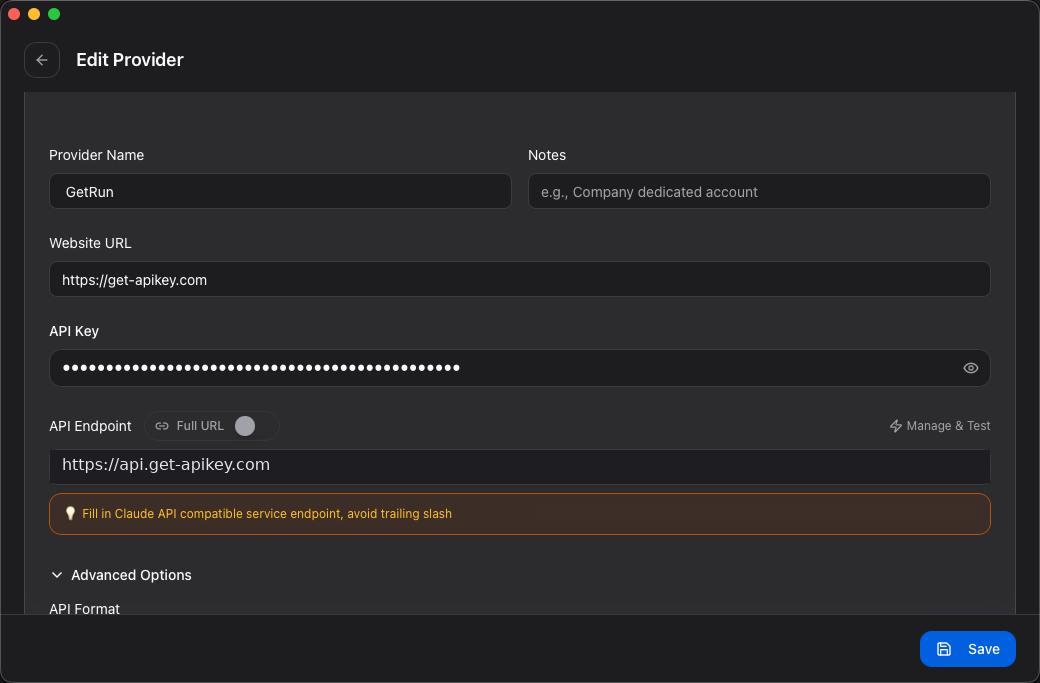
Claude Code
- Select Claude in Provider Management and add or edit a connection.
- Set Display name to
GetRun. - Set API Endpoint to
https://api.get-apikey.comwithout/v1, then enter your API Key. - Save and select Enable.
3. Use
Confirm that the connection is enabled, fully quit Codex or Claude Code, and reopen it. Start a session, check the model, and send Reply only OK. Once you receive a reply, continue in that client.
See Codex configuration fields for field descriptions.